ESC Firmware Flashing Tutorial
This tutorial only supports Betaflight flight controllers connected to Bluejay/BLS ESCs.
Open the flasher webpage: https://esc-configurator.com/
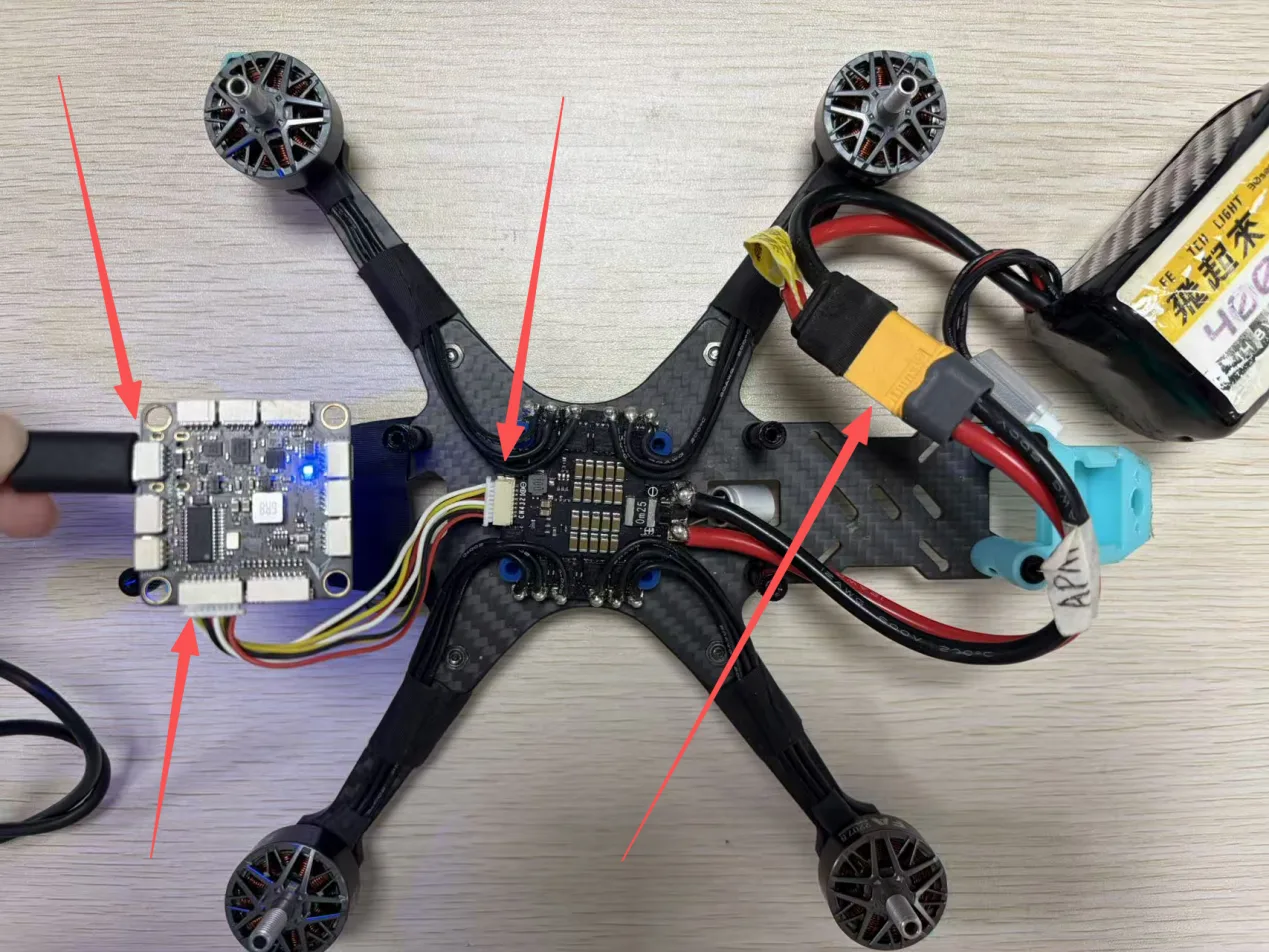
Ensure the flight controller and ESC are successfully connected. Use a Type-C data cable to connect the computer to the flight controller, and then connect the battery to the ESC.
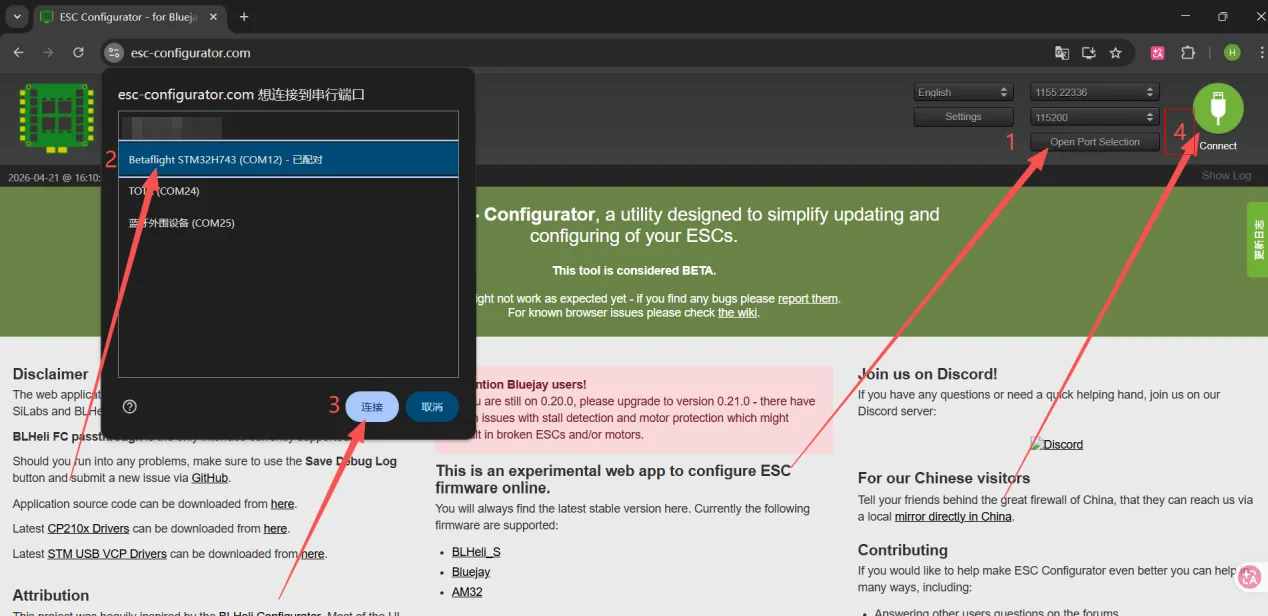
Enter the webpage, open the port selection, choose the corresponding port (the port number is not fixed, you may need to try multiple options), and click Connect.
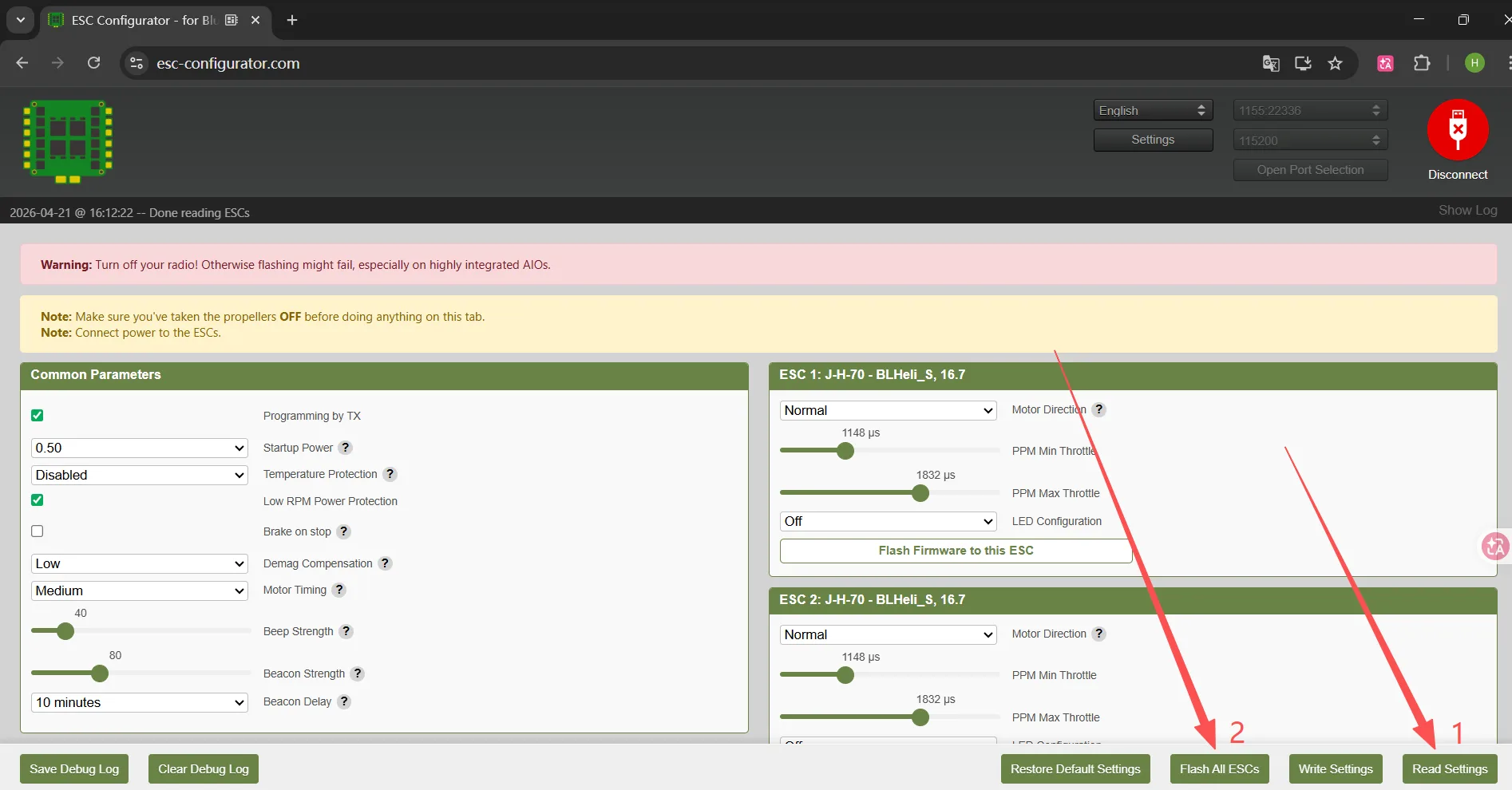
First, select "Read Settings", and then click "Flash All ESCs".
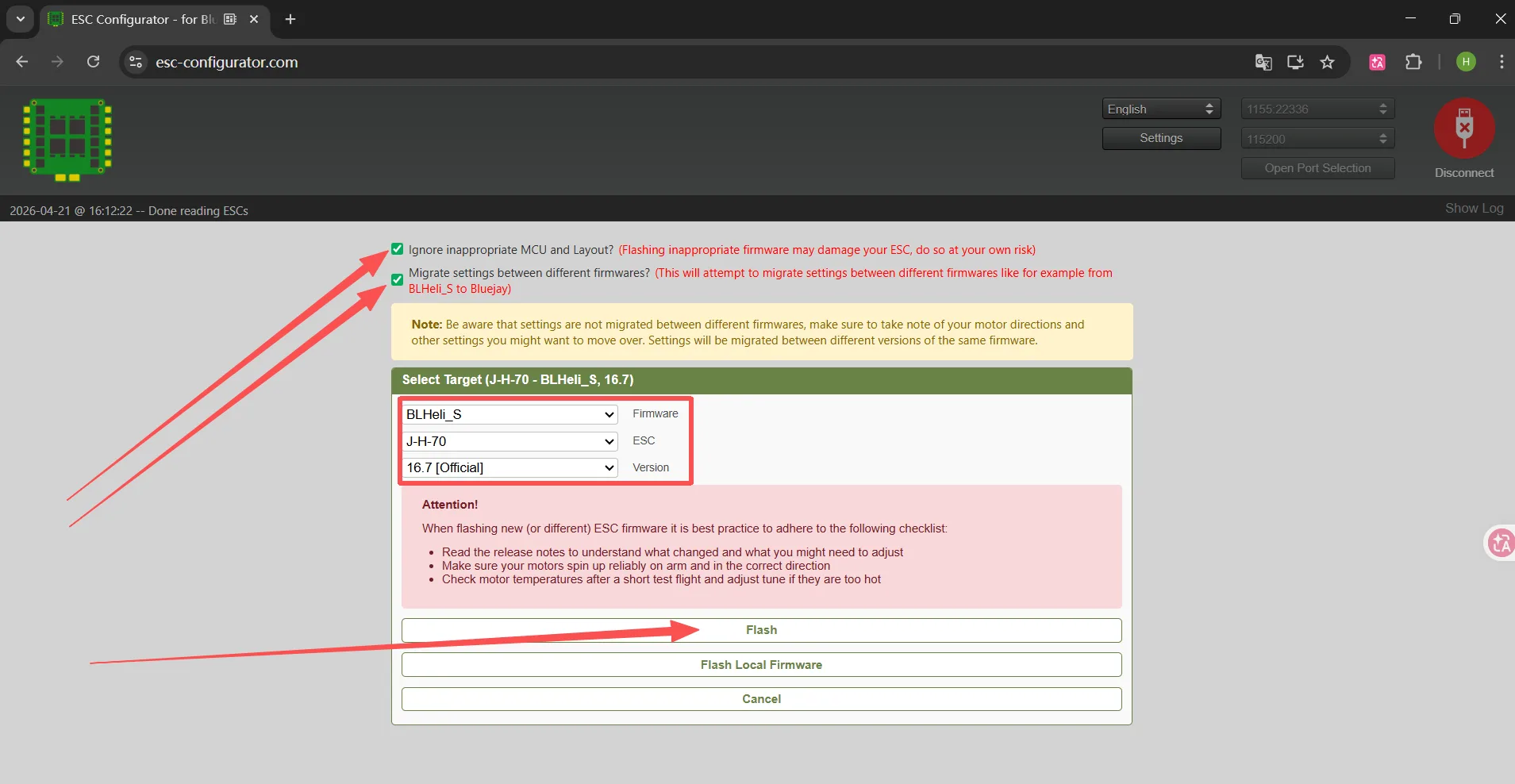
If you want to change to the Bluejay protocol, check all the settings pointed to by "1" as shown in the tutorial image, and configure section "2" as follows:
Firmware = Bluejay
ESC = J-H-40
Version = v0.21.0
PWM Frequency = 48
Click "Flash" to complete.
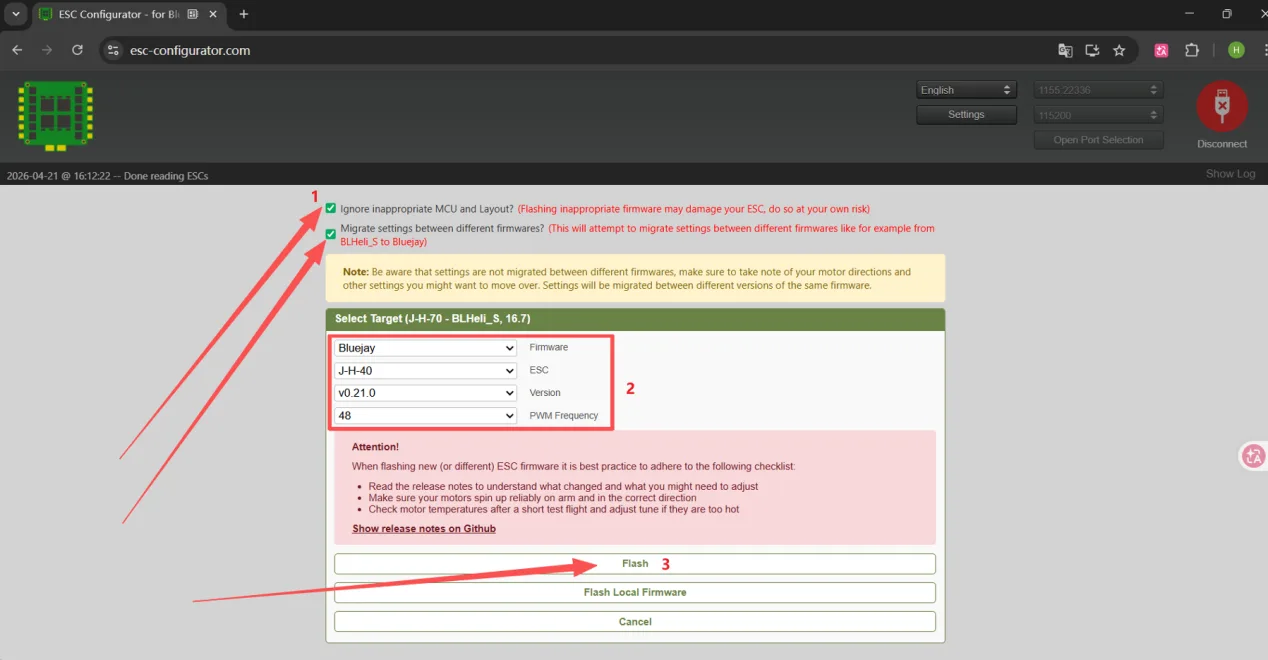
If you want to change to the "BLS" protocol, check all the settings pointed to by "1" as shown in the tutorial image, and configure section "2" as follows:
Firmware = BLHeli_S
ESC = J-H-70
Version = 16.7 [Official]
Click "Flash" to complete.