Procedure
Copy the CORVON web firmware flasher link and open it with Chrome or another browser that supports WebUSB.
https://flasher.corvon.tech/
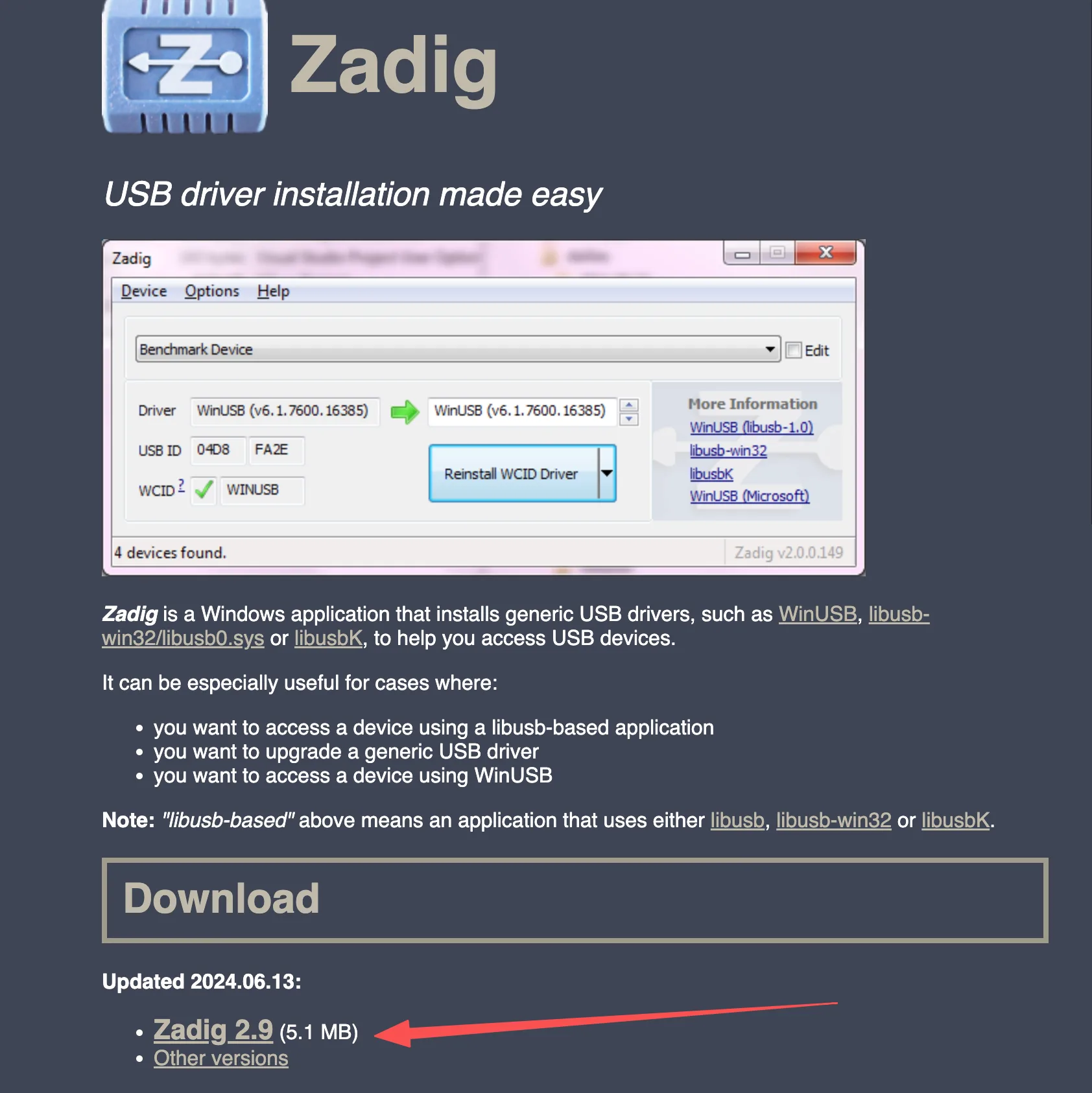
Before flashing, install Zadig to install the DFU driver for the flight controller. Refer to the image below for the download location.
Open the Zadig download entry in the upper-right corner of the webpage. After running Zadig, open the Options menu and select List All Devices.
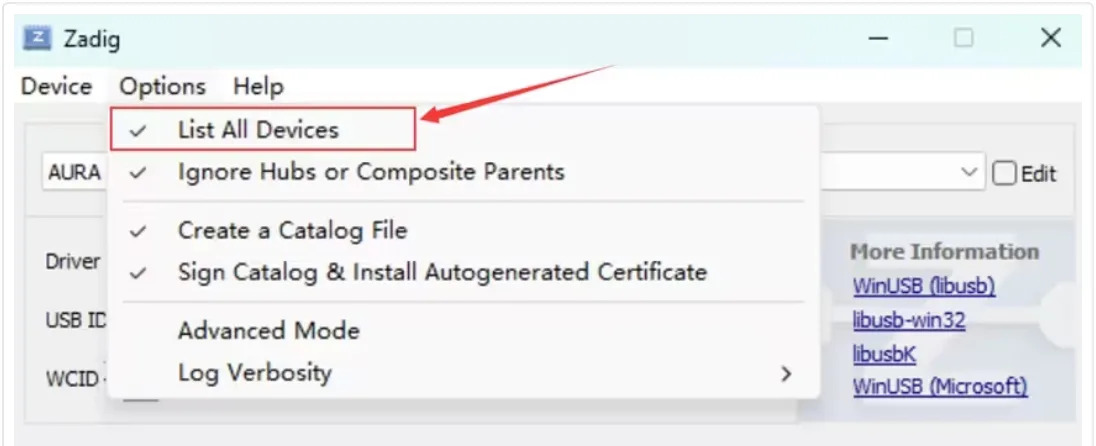
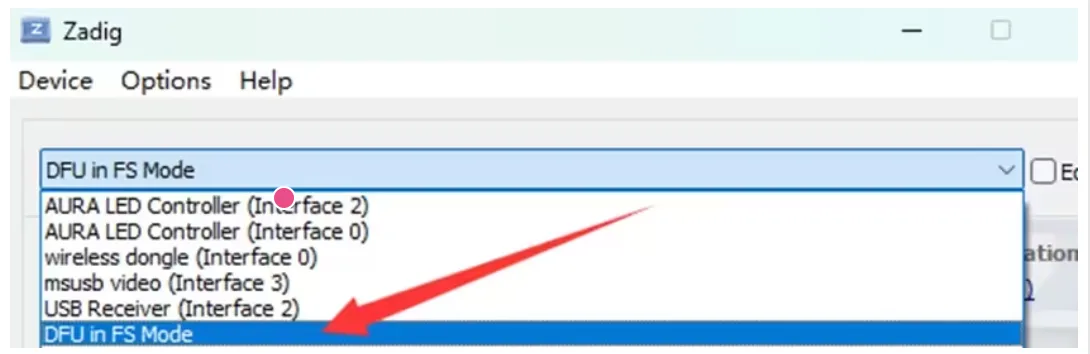
Expand the device list and select DFU in FS Mode. If the flight controller uses an STM32F405 MCU, the device name may appear as STM32 BOOTLOADER. If the device cannot be found in the list, confirm that the BOOT button was held before plugging in USB, and check whether the USB cable supports data transfer.
Click Install Driver to install the WinUSB driver.
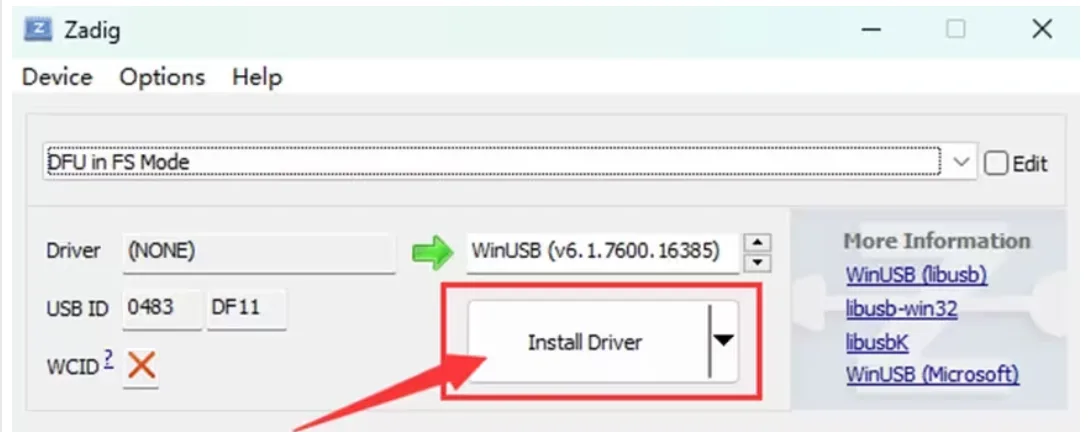
Wait a few minutes. After the driver installation is complete, open Windows Device Manager. If DFU in FS Mode is displayed, the computer has correctly recognized the flight controller in DFU mode.
After the flight controller enters DFU mode, follow the steps below to flash the PX4 firmware.
Prepare the CORVON flight controller and a USB-A to USB-C data cable.
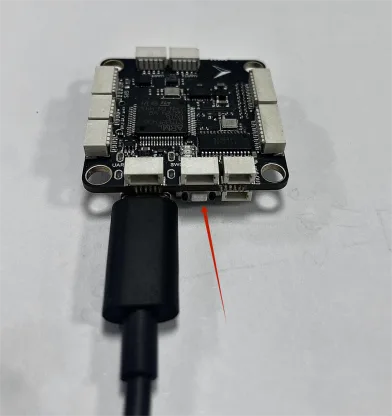
Open the online flashing webpage. Press and hold the BOOT button next to the USB port on the flight controller, then plug in the USB cable to connect it to the computer. Release the button about 2 seconds after the flight controller powers on. Then select the target flight controller and PX4 firmware in sequence, click Flash, select the recognized DFU device in the pop-up device selection window, and wait for flashing to complete.
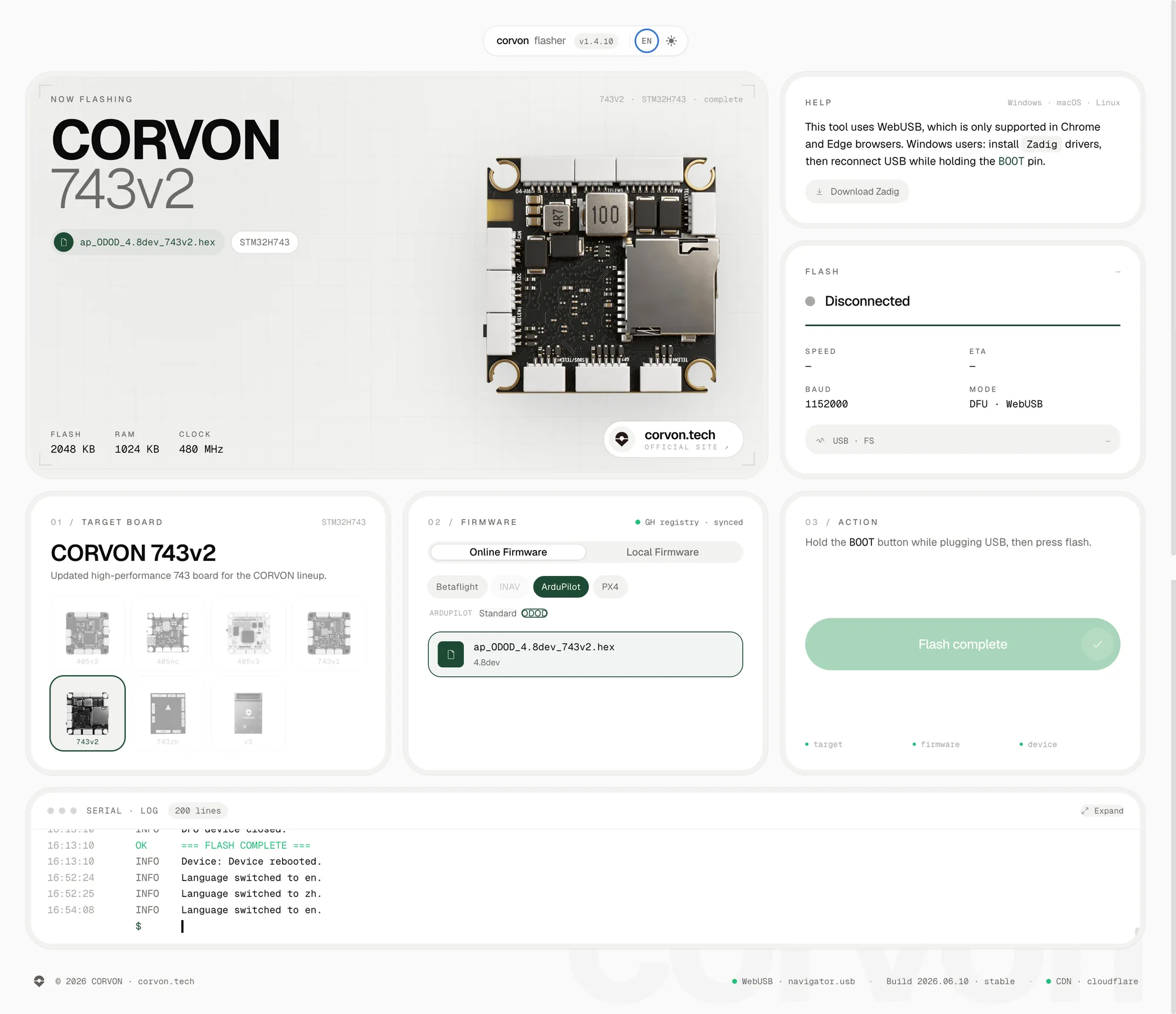
The firmware on the online flashing webpage is continuously updated. Please use the version displayed on the webpage as the reference.